
Blog
iPhones Overheat Because of Intensive Workloads, Hardware Faults, or Environmental Stress — Expert Technicians Diagnose the Root Cause and Restore Safe Operation
If your iPhone gets hot to the touch, frequently shows the “Temperature” warning, or shuts down unexpectedly in Cape Town’s warm climate, it’s not just uncomfortable — it’s a sign of an underlying issue. Overheating can stem from software demands, battery or charging faults, blocked ventilation, or damaged internal components, and only an expert repair technician can accurately diagnose and fix the true cause.
Let’s unpack the science behind iPhone heat, pinpoint common triggers, and explain how professional repair services restore optimal performance — safely and effectively.
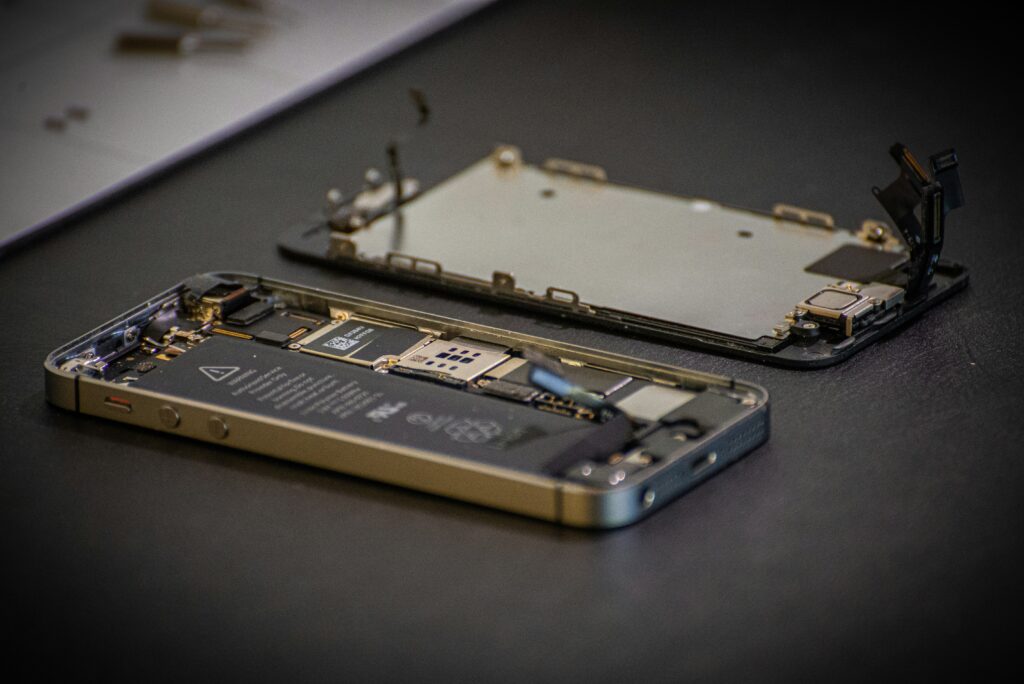
The Heat Is Real: Why iPhones Overheat in Everyday Use
Intense Processing, Software Pressure and Environmental Factors
Modern iPhones pack powerful processors capable of running demanding apps, but that performance comes at a thermal cost. When the CPU/GPU works hard — such as during gaming, video editing, augmented reality apps, or navigation with GPS — the internal temperature rises quickly. Apple acknowledges this, noting that iPhone devices are designed to operate between 0°C and 35°C, but prolonged use outside that range may trigger temperature warnings and throttling.
Cape Town’s Climate Adds to the Load
In Cape Town’s summer months, ambient temperatures often exceed 30°C. Combine heatwaves with direct sunlight — especially on beaches like Clifton or Muizenberg — and your iPhone can struggle to dissipate heat. Mobile devices rely on passive cooling (heat spread through the case) and airflow, both of which are hampered by high external temperatures.
Key Reasons Your iPhone Overheats
- High Processing Demand
Running intense apps — especially concurrently — pushes the iPhone’s CPU and GPU into heavy workloads. Background tasks like iCloud syncing or automatic backups compound this.
- Environmental Heat
Direct sun exposure or hot car interiors can raise device temperature faster than internal cooling can compensate.
- Battery or Charging Problems
Faulty batteries, damaged charging circuits, or using uncertified chargers generate excess heat during charging cycles, stressing internal components.
- Blocked Airflow and Case Issues
Heavy protective cases or dust accumulation can trap heat instead of allowing it to dissipate.
- Hardware Damage
A previously dropped device may have internal damage like broken shields or damaged thermal paste, leading to localized hotspots.
We also have New Items and Used Items for sale on our website.

How Overheating Affects Performance
From Slowdowns to Permanent Damage
When an iPhone overheats, iOS may automatically reduce performance, dim the display, or disable certain features to protect internal components. Long-term heat exposure degrades the battery faster, shortens component lifespan, and increases the risk of screen issues.
According to battery health data, excessive heat is one of the main accelerators of battery capacity loss. Apple specifies that batteries can lose up to 20% of their capacity after approximately 500 charge cycles — but frequent overheating can hasten this decline.
How Expert Repair Fixes Overheating Issues
Precision Diagnostics and Targeted Solutions
Professional Diagnosis
Experienced technicians — such as those in established Cape Town service centres — start by running thermal imaging and system diagnostics to uncover:
- Battery faults
- Faulty power ICs (integrated circuits)
- Charging subsystem faults
- Internal short circuits
These tests identify the exact heat source rather than treating symptoms.
Battery Replacement
A degraded or faulty battery is one of the most common causes of heat buildup. Replacing it with a high‑quality, OEM‑spec or certified battery restores proper voltage regulation and reduces stress during charging and heavy use.
Charging Port and Circuit Repair
Damaged charging ports or loose connections can cause inefficient current flows, generating excess heat. Professional soldering and IC‑level repair fix these faults safely.
Thermal Shield and Component Reflow
Some repairs involve replacing shield plates or reflowing solder around hotspots — a level of precision beyond standard DIY fixes.
Final Word: Don’t Ignore the Heat
An overheating iPhone isn’t just inconvenient — it’s a warning sign. Professional technicians in Cape Town not only identify the root cause but deliver lasting repairs that protect your investment, improve performance, and extend device lifespan.
If you’re dealing with heat issues, time to trade frustration for a precise solution — one that keeps your iPhone running cool, fast and dependable in South Africa’s demanding environments.